NIF Guides
How to check your NIF status, and what to do if you lost your NIF number
It happens in the most ordinary way. A bank asks for your NIF, a lawyer needs it for a deed, a form will not submit without it, and the number you were sure you had saved is nowhere to be found. Take a breath. Of all the Portuguese paperwork problems you could have, this is one of the kindest, because a NIF cannot really be lost in the way that matters. The number is permanent, it never expires, and Finanças keeps the record even if you have lost every copy of it. This guide explains what checking your NIF status actually means, where your number is written down, and the places to look, in order, before you ask anyone for help.

The reassuring short answer
Three facts calm most people down straight away:
- Your NIF never expires and is never cancelled for inactivity. Years of silence change nothing.
- You cannot be given a second, different NIF. One person, one number, for life, so there is nothing to reapply for.
- Checking your status really means checking your registered details: the name, address and representative Finanças holds for you.
What a NIF status check actually means
People search for a NIF status check imagining something like a visa application: pending, approved or refused. A NIF does not work like that. Once Finanças issues the number, it simply exists. There is no renewal date, no annual confirmation and no inactive state that quietly deletes it. If you were issued a NIF years ago and have not thought about Portugal since, your number is still your number today.
So a useful status check is really a details check. Finanças holds a registration record attached to your number: your full name, your tax address, and whether a fiscal representative is registered for you. Those details do change over time, and getting them wrong has real consequences, from tax letters going to an old address to a name mismatch stalling a property deed. Checking your status means confirming that record is correct, and the rest of this guide shows you where to look.
Where your NIF is recorded
Your number lives in more places than you might expect, which is why most people find it again within the hour. When Finanças issued it, you received a registration document, often called the comprovativo: the paper or PDF proof of registration showing your name, your number and your registered address. That document is the master copy, and everything else is a copy of a copy.
Beyond it, your NIF appears across your Portuguese paperwork. It is printed on property deeds, it sits in bank account paperwork, and it is quoted on tax filings and many contracts. And once you have access, your Portal das Finanças account shows the registration details Finanças holds for you. If you do not have portal access yet, our guide to the Finanças password explains what it unlocks and how it arrives by post.
The registration document
The comprovativo from Finanças, the paper or PDF proof issued with your number. Check your document folder and your files first.
Your email inbox
If your NIF was arranged remotely, the official NIF PDF was delivered by email. Search your inbox for NIF, and for the sender who arranged it.
Portal das Finanças
Sign in with your NIF and password to see the registration details Finanças holds, including your address and any representative.
Deeds and contracts
Your number is printed on property deeds, bank paperwork, tax filings and many contracts you have signed in Portugal.
Your fiscal representative
If you have one, they keep your file, NIF document included. A quick message usually brings your NIF PDF back the same day.
How to check your details on Portal das Finanças
If you have your number and your Finanças password, the portal is the most complete check you can do from home. The portal layout changes from time to time, so treat this as the general path rather than a promise about exact menu names:
- Sign in. Go to the Portal das Finanças and sign in with your NIF and your senha de acesso, the Finanças password.
- Open your personal area. Look for your personal area or registration details, shown with wording such as dados de registo, your registration data.
- Compare the record with your passport. Your name, date of birth and address should match your current documents exactly.
- Note what needs updating. An old address, or a representative you no longer use, are the two findings worth acting on.
If the portal asks for a password you do not have yet, that is a separate and solvable problem. The password is ordered from Finanças and arrives by post, as our Finanças password guide explains, and a missing password never affects the number itself.

What to check, line by line
- Name spelling. Your registered name should match your passport exactly. A swapped middle name or a missing accent rarely matters day to day, then suddenly matters at a notary desk, so get it corrected at a Finanças office if it is wrong.
- The address Finanças holds. If tax letters are going to a home you left years ago, the registration needs updating. Our upcoming guide on updating the address on your NIF will walk through that change step by step. Until it is published, a Finanças office or your representative can update the address for you.
- Whether a representative is still registered. If one is listed, your official tax post goes to them. Our guides on what a fiscal representative does and on whether you still need one after moving explain when that arrangement should continue, and when it should end.
- That the number matches everywhere. The NIF on your deed, your bank file and your registration document should be the same nine digits. If two documents disagree, trust the Finanças registration and ask the other issuer to correct theirs.
If you have lost the number itself
Now the case that brought most readers here: you cannot find the number anywhere. Do not panic, and do not apply for a new NIF. A second application does not create a second number. Finanças matches applications to the person, and the answer comes back as the number you already have, so applying again only adds weeks of confusion.
Work through the five places in the graphic above, in order. Start with your own files and email, then your deeds and bank paperwork. Most lost NIFs turn up in that first pass, usually in an email attachment from the week the number was issued.
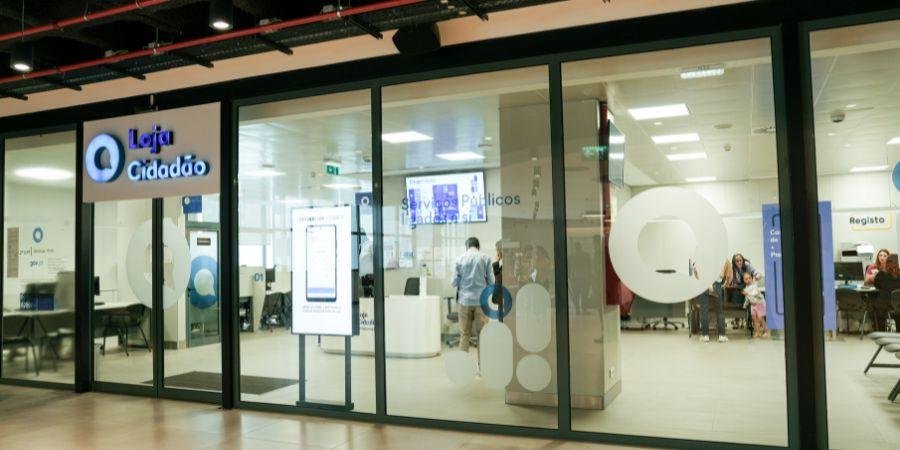
If your own paper trail runs dry, two doors remain open. If you have a fiscal representative, ask them: keeping your file, NIF document included, is part of the job, and they can normally resend it quickly. If you applied through GetYourNIF.pt, contact our support team and we will re-send your official NIF PDF from your application file. And if neither applies, visit a Finanças office or a Loja do Cidadão with your passport. Staff can look up your registration from your identity document and confirm your number in person. Bring the passport you used when the number was issued if you still have it, because the lookup is keyed to your identity, not to an address or an email.
Lost the document, but know the number?
That is the easy version of the problem, and for most purposes it is barely a problem at all. Banks, lawyers, estate agents and forms almost always need the nine digits, not the paper. When proof of registration is asked for, the portal can confirm your registration details, and a Finanças office can provide a fresh comprovativo. Keep the number saved somewhere you control, a password manager or a notes file, and the lost document stops mattering.
Keeping your NIF safe from here
Once you have found it, spend two minutes making sure you never have to hunt again. Save the NIF PDF in two places, your email and a cloud folder or password manager, and keep one printed copy with your passport paperwork if you travel to Portugal often.
A note on safety, because people worry in both directions. Your NIF is not a password, and knowing it does not let anyone into your tax account: signing in needs the number plus the senha. Even so, treat the document with ordinary care. Do not post a photo of it publicly, do not send it to strangers who have no reason to ask, and share it with the banks, lawyers and officials who genuinely need it. Our Finanças password guide covers the other half of the pair: keeping the password safe, and what to do if it is lost.
Frequently asked questions
Applied with us and lost your PDF?
Contact support and we will re-send your NIF PDF from your application file. New here, and still need a number of your own? Apply in 5 minutes, see your full price before you submit, and let us deal with Finanças for you.